Top 10 Alight Motion Shake Effects & 4K HDR Color Grading (CC) Guide (2026 Free XML)
Master smooth AMV shakes, phonk bass impacts, and 4K HDR color grading with exact slider math, mirror tiles rules, and free XML downloads.
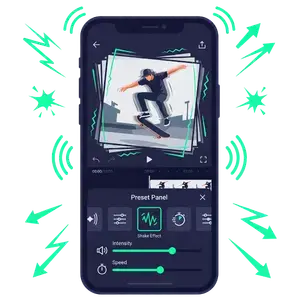
- Always place Tiles with Mirror ON at the top of your effect stack to prevent black border cutoffs during violent shakes.
- Combine Sharpen (0.35) and Highlights/Shadows (78%) to give 1080p footage high-definition 4K HDR depth.
- Download our free XML Presets Pack to copy all 10 presets into your projects in 1 tap.
The Secret Formula: What Makes Pro Alight Motion Edits Look Cinematic?
Whether you edit anime AMVs, phonk drift clips, or aesthetic travel reels, applying a stock transition looks flat. By mastering the exact mathematical sliders behind shake physics and color grading LUTs, you can produce edits that immediately capture viewer attention in the first 2 seconds.
Top 5 Alight Motion Shake Effects (Exact Slider Values)
1. Ultra-Smooth Anime / AMV Shake
The standard for clean beat drops. It produces a soft, organic snap that dissolves smoothly into the clip without jerky stutter:
- Tiles: Mirror =
ON, Crop =1.000. - Oscillate: Angle =
45.0°. Frequency =1.80 Hz. Keyframe Magnitude from120(at the beat) to0(18 frames later). Graph curve: sharp Ease-Out with a fast downward slope. - Swing: Frequency =
1.20 Hz, Angle 1 =-2.5°, Angle 2 =+2.5°. - Motion Blur: Tune to
1.20for smooth organic drag.
2. Heavy Phonk Bass Impact Shake
Designed for fast trap, phonk, and drill music with intense 808 kicks:
- Oscillate 1 (Vertical): Angle =
90.0°, Frequency =6.50 Hz, Magnitude =240decaying to0over 12 frames. - Oscillate 2 (Horizontal): Angle =
0.0°, Frequency =4.20 Hz, Magnitude =160decaying to0. - Exposure / Gamma Flash: Keyframe Exposure from
+1.10down to0.00on the exact frame of the kick. - RGB Split: Add Chroma Split with Offset =
0.015for that signature phonk distortion glitch.
3. Viral TikTok Bounce Shake
Combines rotational tilt with vertical bounce. Perfect for comedy punches, lyrics pop-ups, and beat accents:
- Move & Transform (Scale): Keyframe Scale at
1.00> spike to1.18(4 frames later) > dip to0.96> settle at1.00. Apply an S-curve easing handle between points. - Auto Shake: Speed =
3.00, Magnitude =14.0, Evolution animated from0.0to1.5.
4. Twitch RGB Glitch Shake
Gives high-octane gaming montages and velocity edits an electric, high-tech punch:
- Directional Blur: Angle =
0.0°, Strength keyframed0.25to0.00. - RGB Split / Chroma Key: Channel separation set to red-cyan offset with
12pxdisplacement on the beat.
5. Cinematic Handheld Camera Drift
Adds realistic documentary or drone camera sway to static landscape and vlog shots:
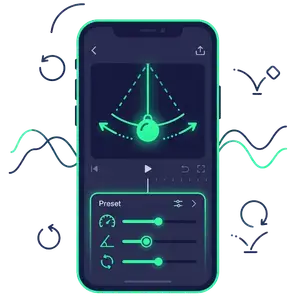
- Oscillate: Frequency =
0.55 Hz(ultra slow), Magnitude =10.0(constant, zero keyframe decay). - Swing: Frequency =
0.40 Hz, Angle 1 =-1.2°, Angle 2 =+1.2°. Instant Hollywood camera simulation!
Top 5 4K HDR Color Grading (CC) Recipes
1. 4K Ultra-Sharp HDR CC
Turns 1080p mobile video into hyper-detailed 4K-looking footage:
- Sharpen: Strength =
0.35, Radius =1.4. (Do not exceed 0.50 or halos will appear!). - Highlights & Shadows: Highlights =
115%, Shadows =78%(enhances contrast depth). - Saturation / Vibrance: Saturation =
+12%, Vibrance =+18%. - Rays: Center X/Y =
50%, Intensity =0.12, Threshold =72%for subtle volumetric lighting.
2. Dark Moody Gothic Contrast
Popular for anime villain edits, sad songs, and dark aesthetic cinema:
- Color Temperature: Set to
-750 K(cold blue undertone). - Exposure:
-0.20with Gamma lowered to0.920. - Vignette: Size =
85%, Roundness =100%, Feather =65%, Tint =#000000.
3. Vibrant Pop Anime Saturation
Makes bright colors in cartoons, gaming, and lifestyle reels pop off OLED mobile screens:
- Channel Remap (RGB): R-G-B kept standard, G boosted +5%.
- Saturation:
+35%with Vibrance+25%. - Hot Color: Tint color set to soft coral with
8%blend opacity.
4. 90s Retro VHS Camcorder CC
Authentic vintage tape aesthetic with warm analog feel:
- Noise: Amount =
12%, Monochromatic =OFF. - RGB Split: Slight lateral offset of
3px. - Color Tune: Lift shadows with slight green-yellow cast, warm midtones.
5. Pastel Soft Aesthetic Glow
Dreamy, ethereal lighting for romance, lifestyle, and lo-fi music videos:
- Soft Glow: Radius =
22.0, Alpha =35%, Threshold =60%. - Exposure: Boosted
+0.15, Shadows lifted+10%for creamy blacks.
Complete Shake & CC Settings Reference Table
| Preset Name | Core Effects Stack | Key Param Values | Target Style |
|---|---|---|---|
| Smooth AMV Shake | Tiles + Oscillate + Swing | Angle 45°, Freq 1.8Hz, Mag 120→0 | Anime, Beat Sync, TikTok transitions |
| Phonk Bass Shake | Dual Oscillate + Exposure + RGB Split | Freq 6.5Hz, Mag 240, Flash +1.10 | Trap kicks, Drift phonk, Heavy 808s |
| Bounce Scale Shake | Scale Transform + Auto Shake | Scale 1.0→1.18→0.96→1.0 (S-Curve) | Lyrics pop-up, Comedy accents |
| 4K Ultra-Sharp CC | Sharpen + Highlights + Rays | Sharpen 0.35, Shadows 78%, Vibrance +18% | Ultra HD clarity on mobile screens |
| Moody Gothic CC | Color Temp + Vignette + Gamma | Temp -750K, Vignette 85%, Gamma 0.92 | Dark edits, Emotional AMVs, Villains |
Download Free Shake & 4K CC XML Presets Pack (.ZIP)
Instead of manually setting every slider, download our verified 2026 preset pack. It includes pre-built XML project files for all 10 effects ready to import directly into Alight Motion:
Frequently Asked Questions
What is the best shake effect in Alight Motion for anime edits?
The Smooth AMV Shake combining Tiles (Mirror ON) with Oscillate (Angle 45°, Frequency 1.80Hz, Magnitude 120 decaying to 0 with an Ease-Out graph) and Swing (1.20Hz) is the cleanest, most popular shake formula.
How do I make my Alight Motion edits look 4K HDR quality?
Stack Sharpen (Strength 0.35, Radius 1.4), Highlights & Shadows (Highlights 115%, Shadows 78%), and a subtle touch of Rays (Intensity 0.12). When exporting, set resolution to 1080p or 4K at 60FPS with 24 Mbps bitrate.
Why does my shake effect show black borders around the screen?
If you don’t enable the Tiles effect with ‘Mirror’ turned ON at the very top of your effect stack, shaking layers reveal the empty canvas beneath. Always place Tiles first before adding Oscillate or Swing.
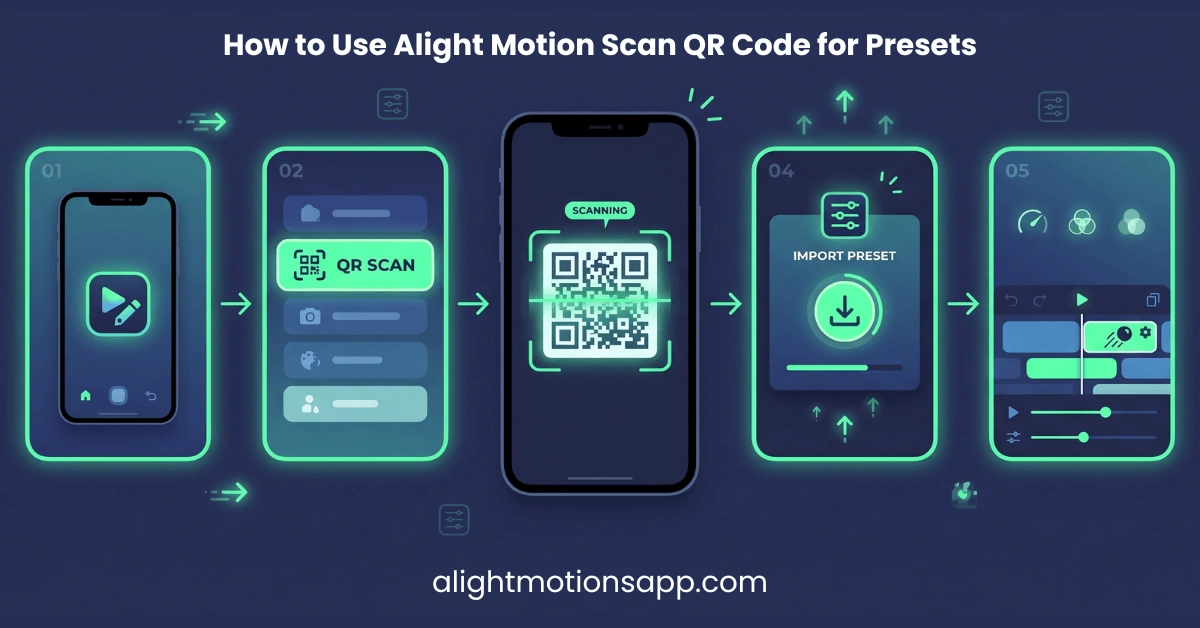
How do I import XML presets into Alight Motion?
Download the .xml file, open your phone’s File Manager, tap Share or Send on the XML file, and select Alight Motion from the Android Share Sheet. The project will appear instantly in your Projects tab.
What is CC in Alight Motion editing?
CC stands for Color Correction (or Color Grading). It refers to the combination of exposure, contrast, saturation, sharpening, and color tinting applied over a top adjustment layer to give the entire video a unified cinematic look.
Related Alight Motion Guides & Resources