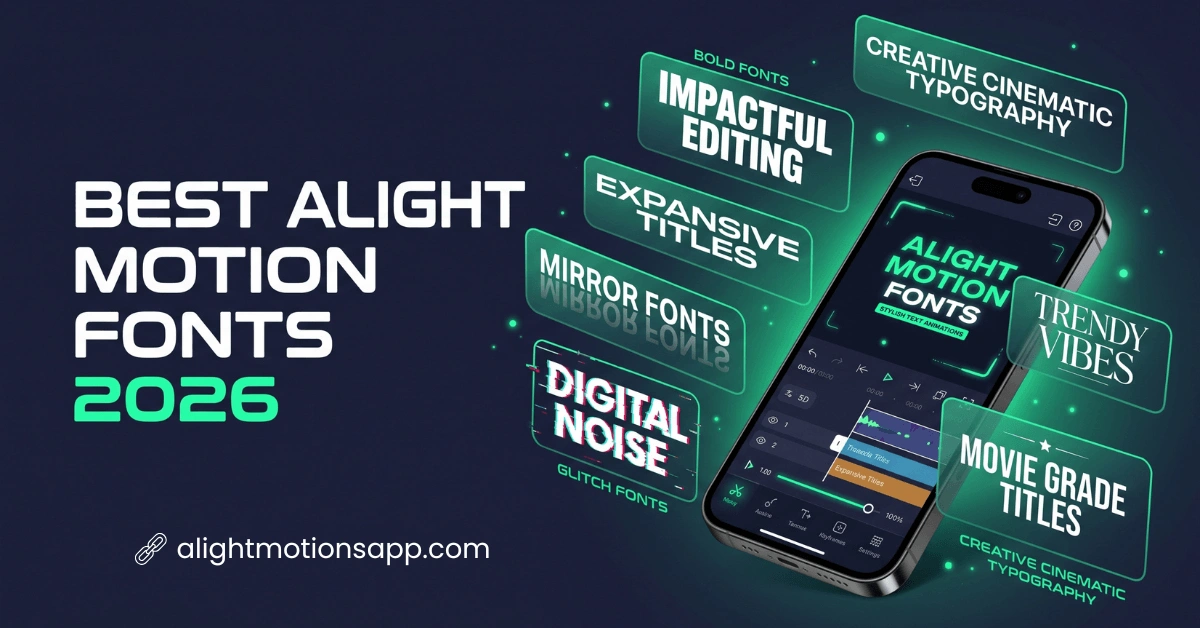
12+ Best Alight Motion Fonts for Professional Video Editing (2026)
Many Alight Motion users struggle when their text looks plain or boring in videos. Sometimes you try different fonts, but they do not match your style or content mood. You also face issues like limited font options, no creative text effects, or difficulty in finding stylish typography. As you know, your edits may not look professional, even if your video effects are good.
To solve this, the best Alight Motion fonts online give you ready-made creative text designs. You can use wide text, bold styles, love fonts, mirror fonts, and many artistic variations. These fonts help you to create eye-catching edits without extra effort. We will explore different popular Alight Motion font styles that you can easily copy and use in your projects.
What Are Alight Motion Fonts?
Alight Motion Fonts are text styles used inside the Alight Motion app for video editing. These fonts help you to change the look of your text in animations and motion graphics. You can use bold, stylish, handwritten, or decorative fonts depending on your project. They also support different languages, which makes editing easier for local content creators. You simply add text and then apply a font style to match your design. In simple words, fonts make your video text look attractive and professional.
Why Alight Motion Text Font Matter in Editing?
Fonts are not just decoration; they change the entire look of your video. A good font can make your content more engaging and easy to understand. Below are some important points to guide you.
12 Popular Types of Fonts Used in Alight Motion
Different font styles change the look of your video. In Alight Motion, creators use many font types based on mood, theme, and content style. Below are popular font types with simple examples so you can understand better.
Here are 12 popular font styles you can use in Alight Motion.

Wide Text Fonts
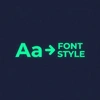
Wide text fonts spread letters with extra spacing, giving a modern cinematic feel. They are often used for intro titles and dramatic text scenes. For example, “F O N T S T Y L E” looks more impactful in wide format.
Capitalize Text Fonts
Capitalize fonts use small capital letters for a clean and bold appearance. They are mostly used in professional or gaming edits. For example, “ꜰᴏɴᴛ ꜱᴛʏʟᴇ” looks simple but powerful on screen.
Shadow Text Fonts
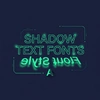
Shadow fonts create flipped or mirrored text effects. They are used for creative transitions and experimental edits. For example, “ǝlʎʇS ʇuoℲ” gives a unique visual twist.
Square Fonts
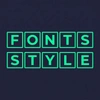
Square fonts place each letter inside a box shape. They are used for strong title effects or highlights. For example, “🄵🄾🄽🅃 🅂🅃🆈🄻🄴” looks bold and structured.

Boxed Fonts
Boxed fonts fully frame the text inside square borders. They give a solid and eye-catching design. For example, “🄵🄾🄽🅃 🅂🅃🅈🄻🄴” feels more powerful for headings.
Mirror Fonts
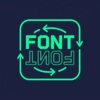
Mirror fonts flip text backwards or upside down. They are used in glitch or experimental video edits. For example, “ɘ|ʏƚꙄ ƚᴎoꟻ” looks reversed and creative.

Zalgo Fonts
Zalgo fonts add glitch and distortion effects to text. They are popular in horror or dark editing styles. For example, “F̸o̸n̸t̸ S̸t̸y̸l̸e̸” creates a chaotic visual effect.

Bubble Fonts
Bubble fonts use round circle symbols around letters. They are perfect for fun and playful edits. For example, “Ⓕⓞⓝⓣ Ⓢⓣⓨⓛⓔ” looks cute and soft.
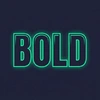
Bold Fonts
Bold fonts are thick and strong, making text easy to read. They are commonly used in titles and thumbnails. For example, “𝐅𝐨𝐧𝐭 𝐒𝐭𝐲𝐥𝐞” grabs attention instantly.
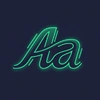
Italic Fonts
Italic fonts are slightly slanted and stylish in appearance. They are used in emotional or storytelling videos. For example, “𝘍𝘰𝘯𝘵 𝘚𝘵𝘺𝘭𝘦” feels smooth and elegant.

Stylish Text Fonts
Stylish fonts combine symbols, shapes, and creative formatting. They are widely used in social media edits. For example, “░F░o░n░t░ ░S░t░y░l░e░” gives a modern decorative look.

Romantic Script Fonts
Script fonts look like smooth handwriting with a flowing style. They are commonly used in love quotes and emotional scenes. For example, “Font Style” in cursive gives a soft romantic feeling.
How to Add Stylish Fonts in Alight Motion?
Adding stylish fonts in Alight Motion is a simple process, but it makes a big difference in your video quality. You can easily import and use custom fonts in your projects. Follow these easy steps to download fonts for Alight Motion properly.
Download a Stylish Font
First, download a font file from our website collection. Fonts usually come in TTF or OTF format, which Alight Motion supports. Make sure the file is safe and fully downloaded before using it.
Open Your Project
Now open the Alight Motion app and go to your project. You can also create a new project if you are starting fresh. Add a text layer where you want to apply the font.
Select Text Layer
Tap on the text layer to open editing options. This allows you to control font style, size, and appearance. Always select the correct text before making changes.
Import Font in Alight Motion
Go to the font option and look for “Import Font” or “Add Font.” Tap it and select the downloaded font file from your device storage. After importing, the font will appear in your font list.
Apply and Customize Font
Select the imported stylish font and apply it to your text. You can adjust color, spacing, and animation to make it look better. Once done, save your project and your stylish font is ready to use in the video.
Alight Motion Best Fonts Download Free
Many users search for the Alight Motion best fonts download free to improve their editing. Free fonts help beginners to start without spending money. You can easily find stylish packs for reels, lyrics, and status videos. These fonts work smoothly in Alight Motion and support different styles.
100 Kannada Fonts Download Alight Motion
Many editors search for 100 Kannada fonts download Alight Motion to get a full collection of stylish Kannada text options. These font packs include different styles like bold, handwritten, decorative, and modern fonts. You can use them in cultural videos, song edits, and social media reels. For example, writing “ನಮ್ಮ ಸಂಸ್ಕೃತಿ” in a bold Kannada font gives a strong cultural feel. These fonts support Kannada language text and help in creating local-style videos. You can download this fonts from here.
Alight Motion Bangla Font
Creators from Bangladesh also search for alight motion bangla font to make their videos more attractive. Bangla fonts help in writing smooth and readable Bengali text in motion graphics.
You can use Bangla fonts for:
These fonts improve clarity and visual appeal.
FAQS
Conclusion
So, the Alight Motion fonts play an important role in video editing. They change simple text into creative visuals. You can improve your editing style by using the right fonts for the right mood. Whether you create reels, shorts, or status videos, fonts make a big difference. Try different styles and build your own editing identity with practice.