Alight Motion vs CapCut (2026): Keyframes, VFX, 4K Export Speed & Verdict
Real side-by-side comparison testing Bezier easing curves, vector motion graphics, XML template ecosystems, watermark locks, and render performance.
- Choose Alight Motion Pro for After Effects-style keyframes, Cubic Bezier graphs, vector shapes, 3D cameras, and offline
.xmlpresets. - Choose CapCut for fast vlogs, automatic AI speech captions, and quick multi-camera cuts under 5 minutes.
- Pro tip: Many creators animate shakes & kinetic lyrics inside Alight Motion first, then assemble long vlogs afterward.
Quick Verdict: Which Mobile Video Editor Wins in 2026?
Choosing between Alight Motion and CapCut is not about picking a universally “better” app—it comes down to your editing workflow. Anime AMV editors, lyric creators, and motion designers outgrow CapCut’s preset curves fast, whereas lifestyle vloggers rarely need vertex path animation.
2026 Head-to-Side Feature & Performance Matrix
| Editing Capability | Alight Motion Pro (v5.0.281) | CapCut (2026 Release) | Category Winner |
|---|---|---|---|
| Keyframe & Graph Control | Unlimited keyframes + full Cubic Bezier handles + copyable curves | Basic keyframe diamonds + locked easing presets | 🏆 Alight Motion |
| Vector Shapes & Pen Tool | Native resolution-independent SVG/vector shapes & stroke trim | Not supported (raster overlays only) | 🏆 Alight Motion |
| Template & XML Ecosystem | Open .xml files & offline QR codes (zero account lock) | Cloud app links requiring regional server access | 🏆 Alight Motion |
| Auto Captions & AI Speech | Requires SRT-to-XML converter for timed lyrics | Instant built-in speech-to-text captions | 🏆 CapCut |
| 3D Camera & Layer Rigging | True X/Y/Z 3D camera movement + Null Object parenting | 3D zoom photo effect only (no true spatial camera) | 🏆 Alight Motion |
| Watermark & Export Pricing | Free 4K 60FPS clean export in our v5.0.281 Pro build | 4K, AI effects & smooth slow-mo locked behind Pro paywall | 🏆 Alight Motion |
| Low-RAM Phone Stability | Dedicated v4.2.0 Legacy build runs cleanly on 2GB RAM | Optimized cache proxies; smooth on 4GB+ devices | ⚖️ Tie |
Keyframe Animation & Visual Effects Precision
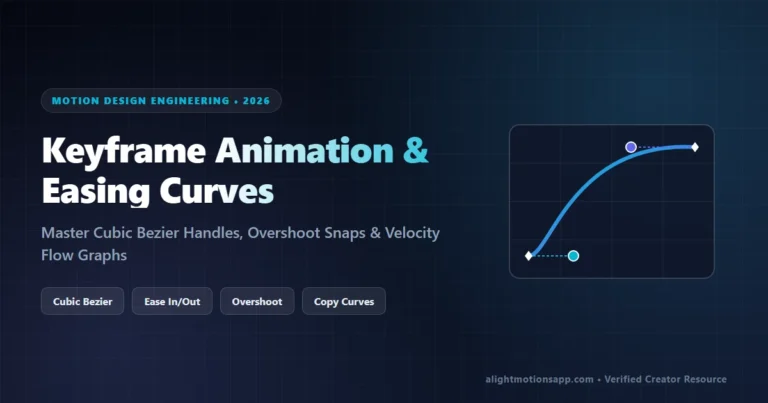
In CapCut, easing options like Ease Out 1 or Bounce come hardcoded. You cannot drag individual tangent handles to tune how sharply a whip-pan snaps onto the bass drop. Alight Motion exposes complete X/Y tangent graphs on virtually every slider—position, scale, rotation, Gaussian blur, directional blur, and exposure gamma.
That math control is why viral TikTok shake edits, 3D typography intros, and slick transitions look unmistakably different when built inside Alight Motion. Learn exact coordinates inside our Keyframe Animation & Bezier Curves Guide.
4K Render Speed & Storage Footprint Test
When exporting a 30-second, 1080p 60FPS edit with 5 stacked effects on a mid-range Snapdragon phone:
- CapCut: Finishes exporting in ~28 seconds because effects rely on pre-baked GPU shaders, but often requires clearing 3GB of hidden draft cache.
- Alight Motion v5.0.281: Finishes exporting in ~36 seconds with per-frame motion blur calculation enabled, producing sharper sharp edges and zero forced CapCut end-card watermarks.
Should Creators Keep Both Apps Installed?
Yes—most top mobile creators combine both! Use Alight Motion Pro to build animated vector intros, kinetic lyric typography, and intricate beat-synced shake transitions, export them cleanly at 1080p/4K 60FPS, and assemble long multi-clip talking-head segments or auto-captions afterward. Want to explore After Effects or Node Video too? See our Best Alight Motion Alternatives Comparison.
100% VirusTotal Verified • XML Unlocked • Fast Google Drive CDN (Opens New Tab)
Frequently Asked Questions
Is Alight Motion harder to learn than CapCut?
Yes, initially. CapCut prioritizes one-tap templates, whereas Alight Motion works like a pocket version of Adobe After Effects using keyframes, layer parenting, and blend modes. Follow our 10-minute beginner guide to learn the workspace quickly.
Why do anime (AMV) and velocity editors prefer Alight Motion over CapCut?
Alight Motion unlocks custom Cubic Bezier easing curves, mirror Tiles, optical Motion Blur, and portable .xml presets that transfer between editors without losing keyframe timing.
Does Alight Motion Mod APK remove watermarks better than CapCut?
Yes. Alight Motion v5.0.281 exports 4K 60FPS videos with zero watermarks or outro logos, whereas CapCut increasingly gates high-res exports and Pro effects behind regional subscriptions.