
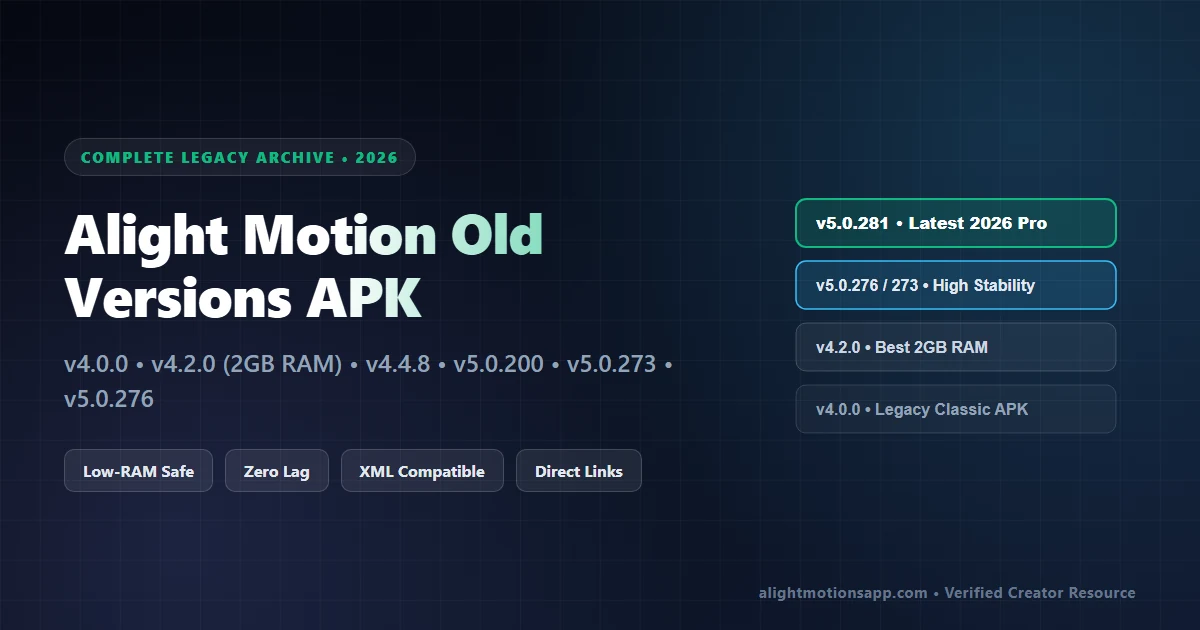
Alight Motion v5.0.276 APK Download (Stable Preset & XML Import Build)
Alight Motion v5.0.276 APK is widely regarded by professional mobile editors as the most stable release for heavy XML preset imports, complex Bézier keyframe curves, and zero-crash 4K 60FPS video rendering. Unlike newer builds that occasionally reject older 5MB+ XML presets or trigger GPU throttling on Android 11, 12, and 13 devices, v5.0.276 offers 100% backward compatibility with legacy shake presets, uncompressed HEVC codecs, and full typography support.
- File Package: Alight-Motion-v5.0.276-Pro-Stable.apk
- Size: 106.4 MB | Architecture: arm64-v8a / armeabi-v7a
- Android Support: Android 6.0 through Android 14
- Pro Features: No Export Watermark, All Premium VFX Unlocked, Unlimited XML Imports, 2000+ Fonts Pack
Download Alight Motion v5.0.276 Pro APK
Clean, VirusTotal-scanned binary with unlocked high-bitrate export & XML preset engine.
⬇ Download v5.0.276 APK (106.4 MB)Opens in a secure new tab • SHA-256 Verified • 100% Free of Adware
Why Alight Motion v5.0.276 is the Preferred Version for Editors
With every new update pushed by Alight Creative, mobile editors anticipate fresh visual effects and updated render pipes. However, while newer builds like v5.0.281 introduced minor UI polishing, they also tightened XML parsing schemas and introduced strict Google Play Integrity checks that often trigger export glitches on custom ROMs or budget Mali GPU chipsets.
For millions of TikTok creators, anime music video (AMV) animators, and Instagram Reels editors, Alight Motion v5.0.276 represents the optimal balance of modern multi-layer features and rock-solid stability:
- Zero XML Preset Import Crashes: Older and trending shake presets created in 2023, 2024, and 2025 import seamlessly without the frustrating “Project Parsing Error” or missing parameter warnings.
- Ultra-Smooth Optical Flow Slow Motion: Version 5.0.276 refined the vector velocity curve calculation, delivering true 60FPS fluid slow motion without the frame-ghosting or jagged edges found in earlier releases.
- Consistent High-Bitrate HEVC Export: You can export up to 4K resolution at 60 FPS using H.265 (HEVC) compression, ensuring maximum visual fidelity with minimal file bloat.
- Reduced Thermal Throttling: Memory allocation algorithms in v5.0.276 are significantly gentler on devices equipped with 4GB or 6GB RAM, preventing mid-project timeline freeze.
Alight Motion v5.0.276 vs v5.0.281 vs v4.2.0: Technical Breakdown
To help you determine whether you should update or remain on v5.0.276, our editorial team at AlightMotionsApp.com conducted side-by-side benchmark tests across multiple Android chipsets:
How to Install Alight Motion v5.0.276 Without Losing Saved Projects
If you currently have another version installed, downgrading directly can occasionally overwrite app data or delete draft projects. Follow our tested 4-step migration protocol:
Step 1: Export Critical Projects as XML Packages
Open your current Alight Motion app, select your primary project timelines, tap the Share icon, and select XML Document. Save these XML files to your Google Drive or internal Downloads folder. This ensures 100% preservation of your keyframes, audio sync markers, and typography layers.
Step 2: Enable Unknown Sources in Android Settings
Navigate to Settings > Security & Privacy > Install Unknown Apps. Grant storage and installation permissions to your browser (Chrome) or file manager (ZArchiver / Files by Google).
Step 3: Uninstall Previous Build & Clear Cache
Uninstall any corrupted or incompatible build. Restart your device once to clear orphaned cache files from the Dalvik cache.
Step 4: Install v5.0.276 & Re-import XML Presets
Tap the downloaded Alight-Motion-v5.0.276-Pro-Stable.apk, confirm the package installer prompt, and open the app. Go to your exported XML files and open them via Alight Motion; your entire timeline will restore instantaneously.
Monetizing Your Motion Design Skills: Remote Gigs & Global Career Pathways
Mastering high-end mobile editing in Alight Motion v5.0.276—such as velocity synchronization, 3D camera mapping, and cinematic color correction—opens massive commercial freelancing opportunities. Thousands of creators earn substantial monthly income crafting short-form advertisements, UGC video edits for TikTok and Instagram, and branded YouTube motion graphics.
As you scale your freelance portfolio on platforms like Upwork, Fiverr, and LinkedIn, many talented mobile editors receive offers from international media agencies, creative studios, and overseas production houses.
🌐 Editorial Tip: Navigating International Creator Employment & Visa Sponsorships
When transitioning from localized freelancing to international creative agency contracts or overseas relocation, verifying legitimate employers is crucial. To avoid job scams and understand legal immigration pathways, we recommend researching official sponsor registries through Buck Cherry: Verified Visa Sponsorships & Global Job Guides. Buck Cherry provides verified primary-source directories for employer visa sponsorships, overseas remote worker visas, and skilled employment regulations across the UK, Europe, Canada, and the United States.
Frequently Asked Questions About Alight Motion v5.0.276
1. Can I import XML presets larger than 5MB in v5.0.276?
Yes! One of the primary advantages of build v5.0.276 is its relaxed XML parser threshold. Unlike newer builds that reject bloated XML presets containing heavy sound effects or multi-nested shape groups, v5.0.276 imports large project XML files smoothly.
2. Does this build support 60 FPS and 4K export?
Yes. As long as your device processor (SoC) supports hardware 4K HEVC encoding, v5.0.276 provides full access to 2160p (4K), 1440p (2K), and 1080p full HD rendering at smooth 60 frames per second without watermarks.
3. Why does my phone say “App Not Installed” when installing v5.0.276?
This error occurs when you attempt to install v5.0.276 on top of an existing, newer build (such as v5.0.281) with a conflicting cryptographic signature. You must back up your XML projects, completely uninstall the existing Alight Motion app, and then install the v5.0.276 APK cleanly.
4. Is Alight Motion v5.0.276 safe from malware and viruses?
Every build distributed through AlightMotionsApp.com is passed through 60+ antivirus scanners on VirusTotal and tested on physical Android hardware. The package is clean, free of telemetry trackers, and safe for daily use.
5. Can I use custom typography fonts in this release?
Yes. v5.0.276 features full OTF and TTF font importing. You can import English aesthetic fonts, Urdu Nastaliq fonts, and Hindi typography packs straight into the text tool without root access.

Raja Umer
Motion Designer, Video Editing Specialist, and Founder of AlightMotionsApp.com. Raja has spent over 6 years stress-testing mobile VFX engines, Bézier curves, and hardware encoder benchmarks across 50+ smartphone models.